Copyright Silhouette School 2016. Powered by Blogger.

Featured Slider


How to Put DTF Transfers on Painted Wood Signs

You can use DTF transfers on painted wood signs, rather than a stencil or vinyl to make custom signs in minutes. 

wood signs,DTF transfers,transfers,t shirt transfers,wood,Heat Transfer Vinyl

In this tutorial I'll show you just how easy it is to create wood sign transfers saving you tons of time! 

The All-in 1-Amazon Print and Cut Sticker Machine for Under $200

Turns out there is a print and cut sticker machine on Amazon for under $200. 

sticker,sticker printer,print and cut sticker machine,Stickers,sticker shop,

I currently have two print and cut machines - a Roland BN2-20A and an iColor 250 - both cost thousands. So when Liene reached out to see if I'd be interested in trying their new sticker printer, I jumped at the chance. 

SVG or PNG - Which One Is Best for Silhouette - Video Tutorial

SVG vs PNG wondering which one you should use for your project?

SVG,PNG,sihouette studio,sublimation,

The answer depends on what exactly you are making!

The Best Double-Sided Tape for Laser Crafts and Layered Paper Projects

Are you tired of glue going rogue and messing up your laser crafts and paper projects?  

laser business,Cutting a Profit,custom acrylic,acrylic blanks,Double Sided Adhesive,


I avoid glue whenever I can have started using what I consider the best double sided tape ever. 

Home Sign Freebie Friday Silhouette Cut File

It's Friday and that means it's time for another freebie. 

free,Free Silhouette Designs,Free Studio Files,freebie,Freebie Friday,freebies,


If you are looking for the perfect design for a beautiful sign to spruce up your space, this week's freebie is it!

How to Make White Border for Stickers with Silhouette CAMEO

You can make a white border for stickers with Silhouette CAMEO by quickly adding an offset in Silhouette Studio. 

silhouette 101, silhouette america blog, print and cut, stickers, sticker paper

This tutorial will show you step by step how to add a white border to stickers in Silhouette Studio. 

The ONE Tool Every Heat Press Owner Should Never Skip

If you've ever struggled to get heat transfer vinyl or DTF transfers to apply to items like canvas bags, onesies, or sweatshirts with pockets - there's an easy fix!  

pressing pillow,Heat Press,Heat Press Basics,8-in-1 heat press,HTV,DTF transfers,t shirt transfers,transfers,

The problem probably isn't your materials or your heat press temperature - it's PRESSURE.

And the solution is simpler than you might think: a pressing pillow.

Uninet xPress Weekly Maintenance - The 5-Minute Routine Video Tutorial

If you’ve been dreaming of a professional DTF printer that doesn't require hours of scrubbing and cleaning every day, this is it. 

uninet xpress, uninet dtf, dtf printer, dtf print

The Uninet xPress is so easy to maintain, you have to see this maintenance routine to believe it.

Silhouette Registration Mark Types EXPLAINED (3 vs 4 Marks)

If you're new to the Silhouette Cameo 5a or coming from an older CAMEO model, you might have noticed that your registration marks look different. 

Print and Cut,Silhouette Print and Cut,cameo 5,Silhouette cameo 5,silhouette cameo 5a,registration marks,Stickers,

This isn't a bug or an error - it's actually one of the differences between the CAMEO 5a (and Silhouette Pro MK II) and the rest of the Silhouette machines which use a three mark system. 

Strong is Beautiful Freebie Friday Silhouette Cut File

Freebie Fridays roll around quick here at Silhouette School! But I know you guys don't mind!

free,freebie, freebie friday,Free Silhouette Designs,


Time to spread some workout motivation with this fun and powerful design!
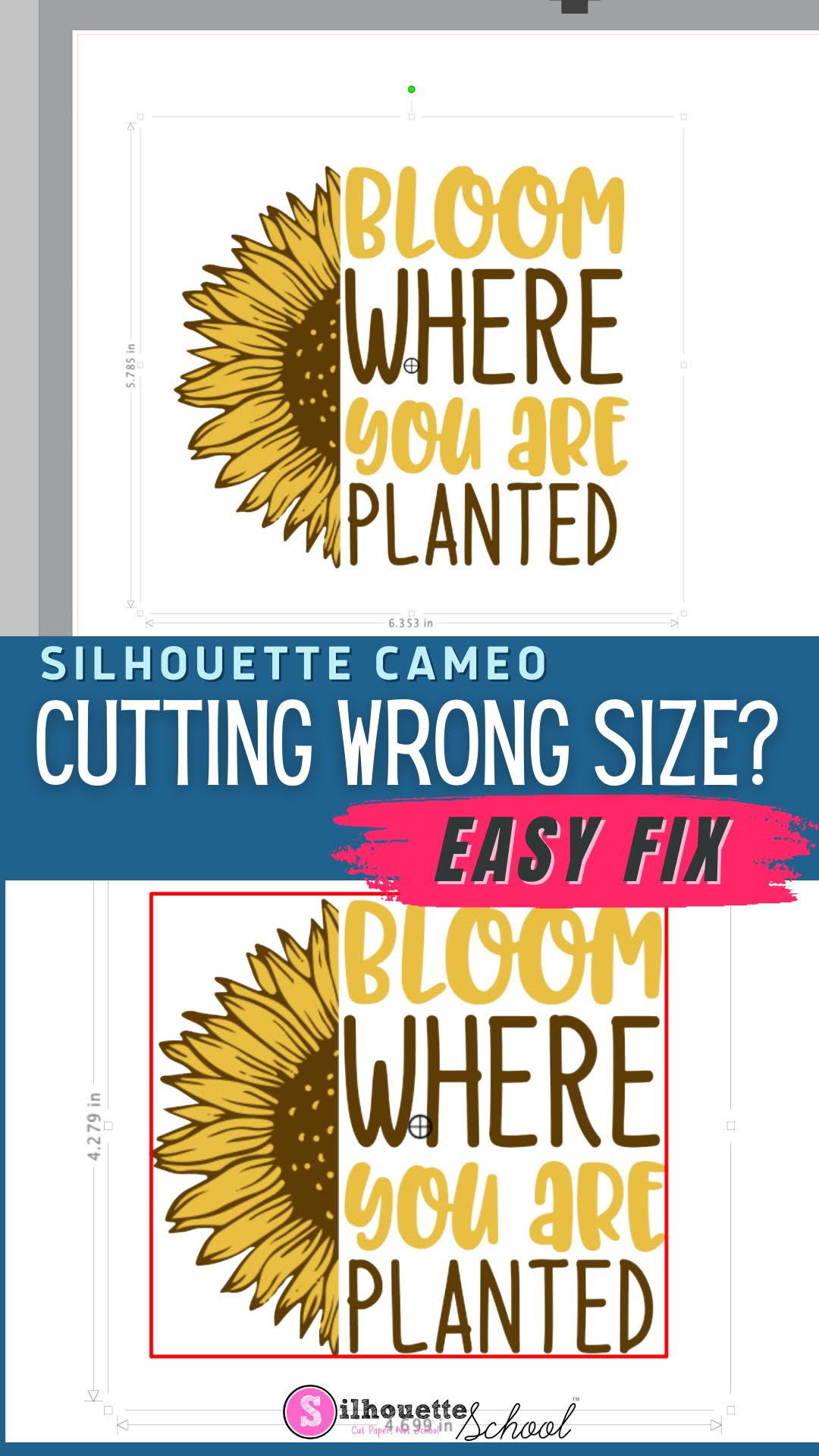
Silhouette Cutting Wrong Size? Here's the Fix

If your Silhouette CAMEO is cutting the wrong size, it can be extremely frustrating. 

silhouette america blog, silhouette 101, silhouette studio, silhouette studio 4, silhouette studio troubleshooting, silhouette cutting issue

Fortunately, there's an easy fix to make sure your Silhouette cuts the same size as the dimensions in Silhouette Studio.

